Layouts you can see
Turn the first window into a clear native desktop interface with rows, columns, containers, colors, and spacing.
Outcome: the same small application now has Ailloli UI window chrome, rhythm, color, and a clear visual hierarchy.
01
Shape the native window
Keep the 800 by 600 size, then switch from operating system decorations to Ailloli UI's built-in client title bar.
Ailloli UI chrome
ailloli_ui_chrome adds the framework title bar. radius rounds the client surface and only has a visible effect with client chrome.
.ailloli_ui_chrome().radius(16.0)The default is operating system chrome. Choose client chrome explicitly when you want the Ailloli UI title bar.
02
Three builders, one clear structure
Column stacks regions, Row places siblings side by side, and Container turns one child into a styled surface.
Row
Lay children out horizontally and add a non-negative gap between them.
Column
Stack children vertically, then use padding and gap to create a readable rhythm.
Container
Give one child a background, border, radius, shadow, and its own layout constraints.
Build the first polished surface
Build the same result in three small changes. Each fragment comes from the verified application and focuses on one responsibility.
Build it in small steps
Each code block changes one idea from the verified reference application.
Step 1: shape the window
These builders configure the native shell. The logical identifier stays separate from the visible title.
            Window::new("main")
                .title("My visual workspace")
                .size(800.0, 600.0)
                .ailloli_ui_chrome()
.radius(16.0)Step 2: stack the main ideas
Column owns several children, places them vertically, and uses padding plus gap to create breathing room.
                            Column::new()
                                .padding(24.0)
                                .gap(16.0)
                                .child(
                                    Text::new("Plan something delightful")
                                        .style(theme.typography().ui_lg),
)Step 3: compose inside one surface
Container::panel owns one child, so that child is a Row or Column whenever the surface needs several items.
                                    Container::panel(theme).padding(16.0).child(
                                        Row::new()
                                            .gap(12.0)
                                            .child(
                                                Icon::new(IconId::Check)
                                                    .size(24.0)
                                                    .tint(palette.accent),
                                            )
                                            .child(
                                                Column::new()
                                                    .gap(4.0)
                                                    .child(
                                                        Text::new("First visible win")
                                                            .style(theme.typography().ui_md),
                                                    )
                                                    .child(
                                                        Text::new("Row and Column now give the window rhythm.")
                                                            .style(theme.typography().ui_sm),
                                                    ),
                                            ),
                                    ),
Checked with Rust 1.88 against the current public facade and default winit feature.
03
See the real framework
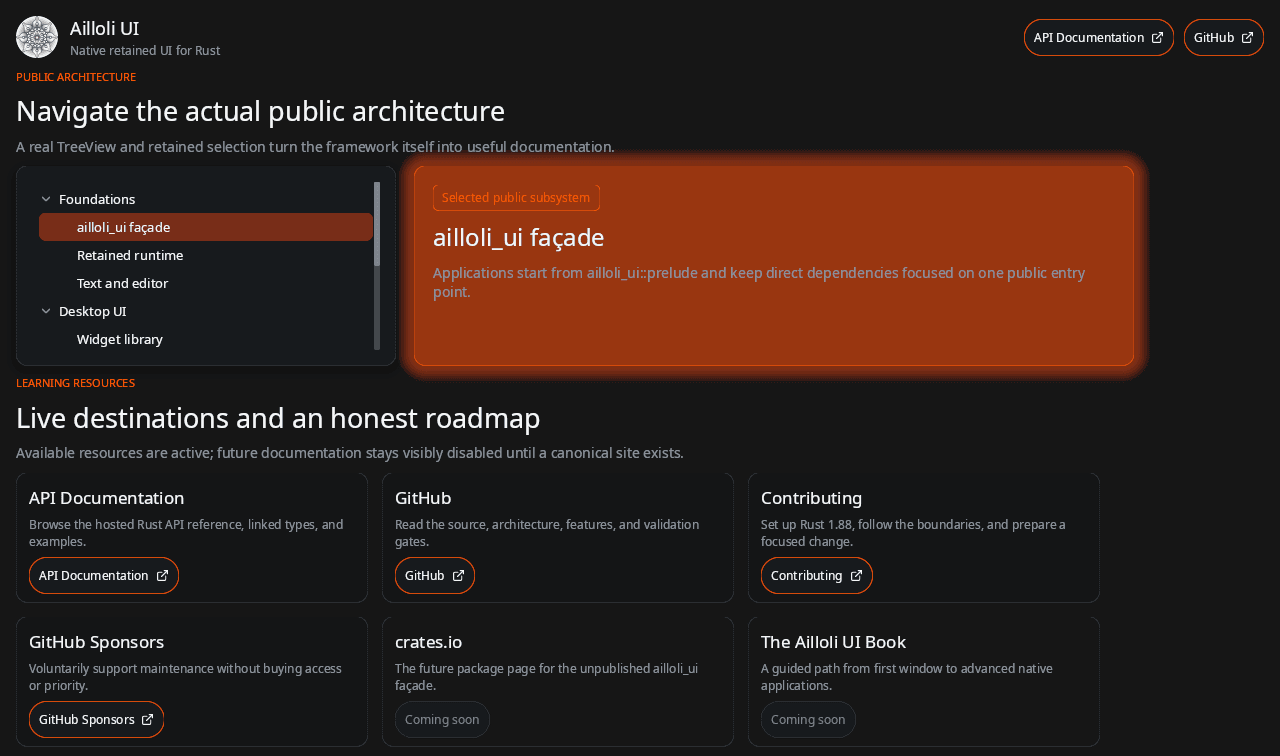
This capture comes from the repository's public sandbox application. It is a rendered Ailloli UI interface, not a web mockup.
Try it yourself
Exercise: build a tiny weather card
Use one small composition to practise the three layout builders without adding state.
- 1Place a title and a detail in a Column, then add an icon and temperature in a Row.
- 2Wrap the content in Container::panel(theme) and compare gap values of 8 and 16.
A Container owns one child, so make that child the Column that holds the rest of the card.
The icon and temperature share one line, the details stack vertically, and the card stays readable at both gap values.